Alt-drag anywhere
Hold Left Alt and drag from any point in a window. No title-bar targeting and no per-app configuration.
Astur 2.1.1 adds Left Alt controls, five layouts, workspaces, composited motion, app search, and a configurable status bar without replacing the Windows shell.
Astur 2.1.1
Left Alt + drag     move window
Left Alt + right    resize corner
Alt + Space         launcher + search
Alt + Shift + Space system menu
Tray settings / quitWindows already has the app ecosystem. Astur keeps that intact and adds the missing window-manager layer: fast pointer movement, keyboard focus, real tiling layouts, workspace switching, and config that can be changed without reinstalling anything. Coming from GlazeWM, komorebi, or FancyZones? See how Astur compares.
Astur Lite is the lean ~1 MB console app: tiling, Alt-drag, the status bar, workspaces, and animations in a single portable exe with text config — available now. The full Astur adds an app launcher with file search and an inline calculator, a power menu, a tray icon, a settings GUI with light/dark theming, and a customisable bar (widget zones, volume, network, app buttons, floating and auto-hide modes) plus optional switcher, scratchpad, clipboard, emoji, wallpapers, media, and local IPC — the stable, friendlier, installable edition. Same motion polish and core tiling in both.
| Feature | Astur Lite | Astur |
|---|---|---|
| Tiling, Alt-drag, status bar, workspaces, animations | Yes | Yes |
| Format | Portable exe | Installer + tray app |
| Control / quit | Console (Ctrl+C) | Tray icon |
| Configuration | .conf files | Settings GUI + .conf |
| App launcher + file search + calculator (Alt+Space) | — | Yes |
| Power menu (Alt+Shift+Space) | — | Yes |
| Bar widgets: volume, network, app buttons | — | Yes |
| Light / dark / system theme | — | Yes |
| Optional switcher, scratchpad, clipboard, emoji, wallpapers, media, IPC | — | Yes |
| Memory | ~1 MB | Higher |
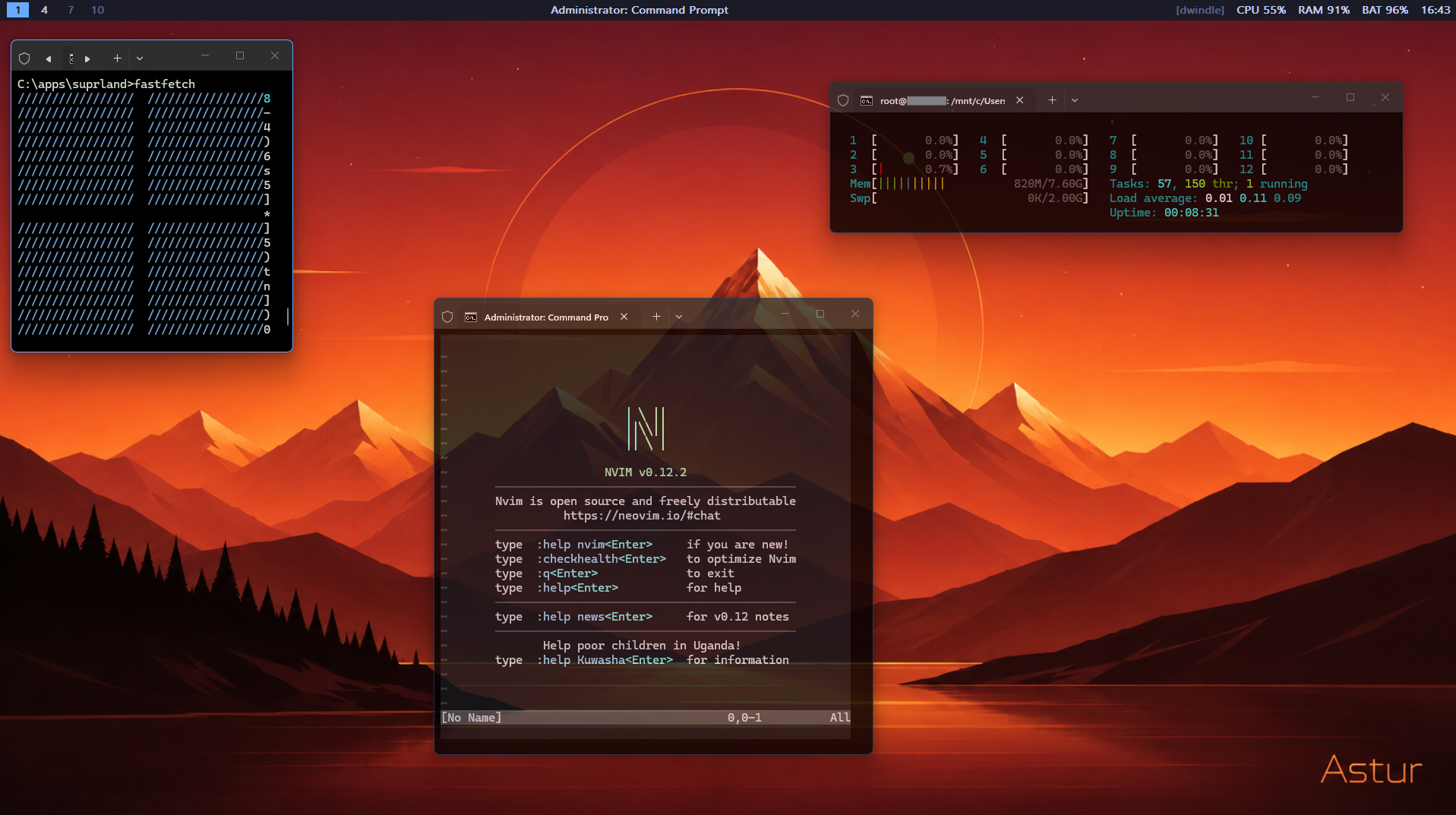
Hold Left Alt and drag from any point in a window. No title-bar targeting and no per-app configuration.
Right-drag selects the nearest corner, keeps the opposite corner anchored, and shows a clear resize marker.
Use spiral dwindle, master-stack, equal columns, balanced grid, or full-area monocle.
Switch with Alt+1-9,0 and move windows with Alt+Shift. Shared and per-monitor workspace modes are configurable.
Promote a focused window, swap layout order, move by direction, or float one window while the rest stay tiled.
Alt+Space opens a fuzzy picker over your apps (Start Menu and Store apps like Notepad, with icons) and your files via the Windows Search index. Tab for details, Shift+Enter to open a folder.
Alt+Shift+Space opens a categorised Power / Setup menu (lock, sleep, restart, shut down, with a confirm step). The full edition runs from a tray icon, no console window.
Built as a native Rust binary using Win32 hooks and DWM styling. No service, no Electron shell. Astur Lite is a single ~1 MB exe.
Open the latest stable release. Choose Astur-Setup-2.1.1.exe for the full app, or astur-windows-x64.exe for the portable window manager.
Run the per-user installer with no admin requirement. The installer can start Astur on login and adds the Settings GUI. Portable users can launch the standalone exe directly.
Astur-Setup-2.1.1.exeUse Left Alt as the Astur modifier. Right Alt remains untouched for normal app shortcuts and AltGr.
| Shortcut | Action |
|---|---|
| Alt + left-drag | Move window |
| Alt + right-drag | Resize from nearest corner |
| Alt + Space | App launcher + file search (Astur) |
| Alt + Shift + Space | Power / system menu (Astur) |
| Alt + T | Toggle tiling mode |
| Alt + J / K | Focus next / previous window |
| Alt + Shift+J / Shift+K | Swap with next / previous window |
| Alt + arrows | Focus window by direction |
| Alt + H / L | Shrink / grow master column |
| Alt + M | Promote focused window to master |
| Alt + F | Toggle floating state |
| Alt + W | Close focused window |
| Alt + Enter | Launch terminal |
| Alt + Shift+Enter | Launch browser |
| Alt + 1-9, 0 | Switch workspace |
| Alt + Shift+1-9, 0 | Move focused window to workspace |